
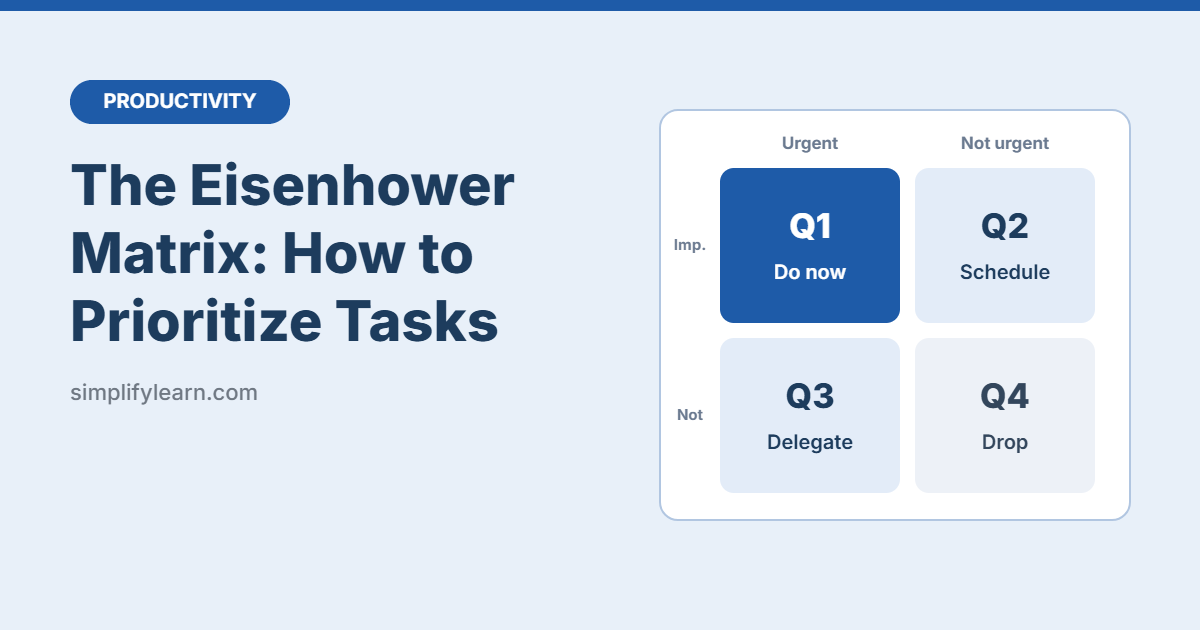
When everything feels urgent, it’s hard to know where to start. The Eisenhower Matrix is a simple 2×2 grid that helps you decide what to do now, what to schedule, what to hand off, and what to drop.
What is the Eisenhower Matrix?
It’s named after Dwight D. Eisenhower, the former US president and army general, who was known for his ability to get things done. The idea is to sort every task by two questions:
- Is it urgent? Does it need attention now or very soon?
- Is it important? Does it help your goals, your job, or the people who depend on you?
That gives you four boxes, or quadrants.
The 4 quadrants
| Urgent | Not urgent | |
|---|---|---|
| Important | Q1: Do it now | Q2: Schedule it |
| Not important | Q3: Delegate it | Q4: Drop it |
Q1: Urgent and important — Do it now
Crises and hard deadlines. Handle these first.
- A report due to your manager today
- A system that’s down and blocking customers
- A bill that’s due tomorrow
Q2: Important but not urgent — Schedule it
This is where real progress happens: planning, learning, building, and preventing problems. Because nothing forces you to do these tasks, they’re the easiest to skip.
- Learning a new skill (like Excel lookups)
- Planning next month’s project
- Exercise and health checkups
- Fixing a recurring problem so it stops happening
Tip: put Q2 tasks on your calendar as fixed blocks. See our guide on time blocking with Google Calendar.
Q3: Urgent but not important — Delegate it
These feel pressing, but they don’t need you specifically.
- Some meetings where you’re not needed
- Routine requests someone else can answer
- Booking, scheduling, and data entry
If you can’t delegate, limit the time: batch them, automate them, or give a shorter answer.
Q4: Not urgent and not important — Drop it
Time-wasters that give little or nothing back.
- Endless social media scrolling
- Reorganizing files that are already fine
- Reading every newsletter in your inbox (here’s how to get to Inbox Zero in Gmail)
How to use it: 4 steps
- Brain dump. Write down every task on your mind, big and small.
- Sort. Put each task into one of the four quadrants. Be honest. Not everything is urgent.
- Act by quadrant. Do Q1 now, schedule Q2, delegate Q3, delete Q4.
- Repeat weekly. A 15-minute review every Monday or Friday keeps the matrix up to date.
Example: a busy Monday
| Task | Quadrant | Action |
|---|---|---|
| Send the client proposal (due at 2 p.m.) | Q1 | Do it first |
| Prepare next quarter’s plan | Q2 | Block Wednesday 9–11 |
| Update the team contact list | Q3 | Ask the assistant to do it |
| Answer a colleague’s quick formatting question | Q3 | Send a link to a guide |
| Watch a webinar you’re not interested in | Q4 | Skip it |
| Learn a faster way to build reports | Q2 | Block Friday 14–15 |
Tools to build your matrix
- Paper: draw a cross on a sheet. It’s fast and works.
- Google Sheets or Excel: make a 2×2 table, or a list with a “Quadrant” column you can sort and filter.
- Trello or similar boards: create four lists, one per quadrant, and drag tasks between them.
- Todoist / Microsoft To Do: use priority levels or tags (P1 = Q1, P2 = Q2, and so on).
Common mistakes
- Calling everything urgent. If Q1 is full every day, many tasks belong in Q2 or Q3.
- Ignoring Q2. Q2 tasks you skip today often turn into Q1 emergencies later.
- Mixing up “urgent” and “loud.” Someone asking loudly doesn’t make a task important.
- Never deleting anything. Q4 exists so you can say no. Use it.
Quick summary
- Sort tasks by urgent and important.
- Q1: do now. Q2: schedule. Q3: delegate. Q4: drop.
- Spend more time in Q2 to prevent future emergencies.
- Review the matrix once a week.
FAQ
What if I can’t delegate anything?
Treat Q3 as “minimize.” Batch those tasks into one short block, use templates, or automate them where possible.
How often should I update the matrix?
A quick daily check and a 15-minute weekly review works for most people.
Can I combine it with the Pomodoro Technique?
Yes. Use the matrix to decide what to work on, then use the Pomodoro Technique to focus while you do it.