
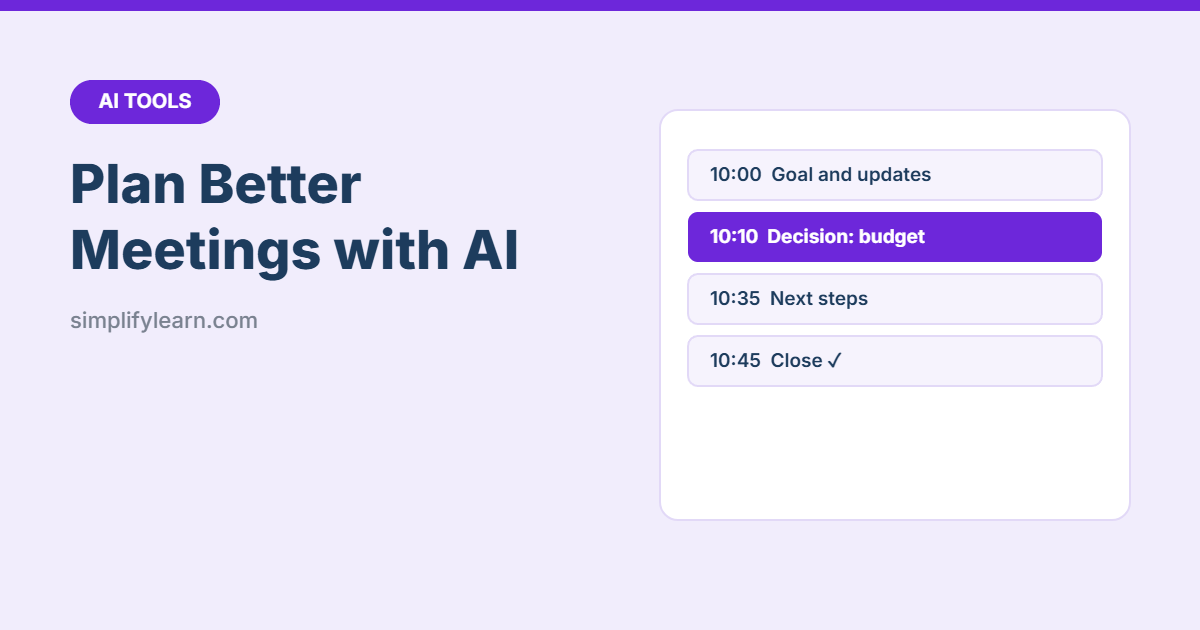
Bad meetings waste hours every week: no clear goal, the wrong people, and no decisions at the end. AI assistants can help you plan a meeting in five minutes, so it starts with a purpose and ends with clear actions.
Step 1: Do you need a meeting?
“I want to [goal] with [people]. Should this be a meeting, an email, or a shared document? If a meeting, how long and who must attend?”
Often the honest answer is an email or a quick message.
Step 2: Write a timed agenda
“Create a 45-minute meeting agenda. Goal: [decide on the Q4 marketing budget]. Attendees: [roles]. Include time per item, who leads each item, and what we need to decide. End with 5 minutes for next steps.”
A good agenda has:
- One clear goal at the top (“By the end, we will have decided…”)
- Times for each item
- Items labeled Inform, Discuss or Decide
- Pre-reading, if any, with a link
Step 3: Prepare
- “I’m meeting [role] to discuss [topic]. What questions should I ask, and what objections might they raise?”
- “Summarize this report in 5 bullet points I can share before the meeting: [text]”
- “Help me explain [proposal] in 2 minutes, with one example and the key number.”
Step 4: Run it well
- Share the agenda at least a day before.
- Start on time, and say the goal first.
- Write decisions and actions as you go. See how to take better meeting notes.
- Use a “parking lot” for off-topic ideas.
Step 5: Follow up with AI
“Turn these notes into: a 3-line summary, decisions, and an action table (Action | Owner | Due date). Then write a short follow-up email to attendees: [notes]”
Record actions in our free meeting minutes template and track them until they’re done.
Example: an AI draft, then your edit
Prompt: “Create a 45-minute agenda to decide the Q4 marketing budget. Attendees: manager, sales lead, marketing coordinator.”
Typical AI draft:
- Welcome and introductions (5 min)
- Review of Q3 marketing results (15 min)
- Discussion of Q4 goals (10 min)
- Budget options (10 min)
- Next steps (5 min)
After a 2-minute edit:
Goal: by the end, we agree the Q4 budget and the top 2 campaigns.
Pre-read: Q3 results summary (sent with the invite).
- Q3 results: what worked, what didn’t – Inform, sales lead (5 min)
- Q4 sales targets and priority products – Discuss, manager (10 min)
- Three budget options with expected results – Discuss, marketing (15 min)
- Choose one option and the top 2 campaigns – Decide, manager (10 min)
- Actions, owners and dates (5 min)
What changed: a clear goal, a pre-read so the meeting doesn’t repeat the report, no introductions for people who already know each other, and a labeled decision with an owner.
Prompts for common meetings
| Meeting | Prompt |
|---|---|
| Weekly team meeting | “Create a 30-minute weekly team meeting agenda: wins, priorities, blockers, actions.” |
| Client kick-off | “Agenda for a 60-minute project kick-off with a new client: goals, scope, timeline, roles, communication.” |
| One-to-one | “Suggest a simple structure and 8 good questions for a monthly one-to-one with a team member.” |
| Problem solving | “Agenda for a 40-minute meeting to solve [problem]: facts, causes, options, decision.” |
Privacy
Remove confidential names and numbers before pasting notes into personal AI accounts, and follow your company’s AI rules. See Is it safe to use AI at work?
FAQ
How long before the meeting should I send the agenda?
At least one working day, with any pre-reading attached. For big decisions, two or three days.
Can AI run the meeting for me?
No, but an AI note-taker can record and summarize it. You still need someone to keep time and confirm decisions.
What if the meeting has no decision to make?
Then ask whether it needs to be a meeting at all. Updates can often be shared by email or in a shared document.
Quick summary
- Ask AI whether you need a meeting at all.
- Use AI for a timed agenda with a clear goal and decisions.
- Turn notes into minutes and a follow-up email in one prompt.