
Many profitable small businesses still run into trouble because cash runs out at the wrong moment: rent is due, but customers haven’t paid yet. A simple cash flow forecast shows you months ahead when money will be tight, so you can act early.
Download the free cash flow forecast template (.xlsx)
What is inside
| Section | What it does |
|---|---|
| Cash in | Cash sales, customer payments, loans or investment, other income |
| Cash out | Rent, salaries, stock, utilities, marketing, loan repayments, taxes/VAT, equipment |
| Monthly summary | Opening balance, net cash flow and closing balance for 12 months |
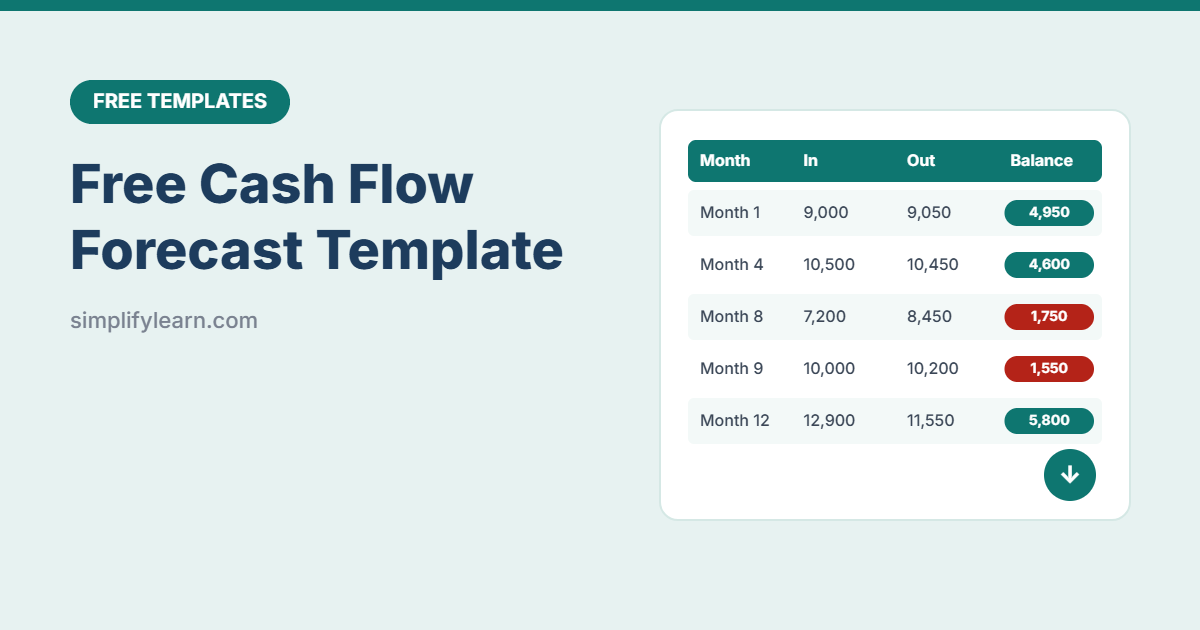
| Warnings | Months below your minimum balance turn red, and the lowest balance is shown at the top |
| Automatic months | Enter the first month once, and all 12 headers update |
The sample data shows a typical pattern: two quieter months (months 8 and 9) push the balance below the warning level. That’s exactly what a forecast is for.
How to use it
- Set up: enter the first month, your current bank balance and the minimum cash you want to keep.
- Forecast cash in: when do you expect customers to actually pay? Use your sales history as a guide.
- Forecast cash out: fixed costs (rent, salaries) first, then variable costs (stock, marketing), then one-off payments (VAT, equipment).
- Check the warnings: look for red months and the lowest balance.
- Update monthly: replace forecasts with actual figures and add a new month at the end.
What to do if cash looks tight
- Get paid faster: send invoices immediately, ask for deposits, and offer easy payment links.
- Chase overdue invoices every week.
- Time big purchases for stronger months.
- Negotiate longer payment terms with suppliers.
- Talk to your bank early about a credit line, before you need it.
Profit vs cash flow
Profit is sales minus costs over a period. Cash flow is when money actually enters and leaves your bank. A business can be profitable on paper and still run out of cash if customers pay late. That’s why you need both. Learn the basics in bookkeeping basics for small businesses.
FAQ
How accurate does it need to be?
A realistic estimate is enough. Being a little cautious (lower income, higher costs) is safer than being optimistic.
Does it work in Google Sheets?
Yes. Import it with File → Import → Upload.